Edexcel A level Mathematics · For schools
Beat the Traps for schools.
Beat the Traps is built from the mistakes Edexcel examiners report year after year, and it comes with a dashboard that shows teachers exactly who has done what.
A licence runs for one year from the day you order. We invoice on 30-day terms, and your access goes live as soon as the order is confirmed rather than when payment clears.
Already have a licence? Sign in at app.sakatismaths.co.uk.
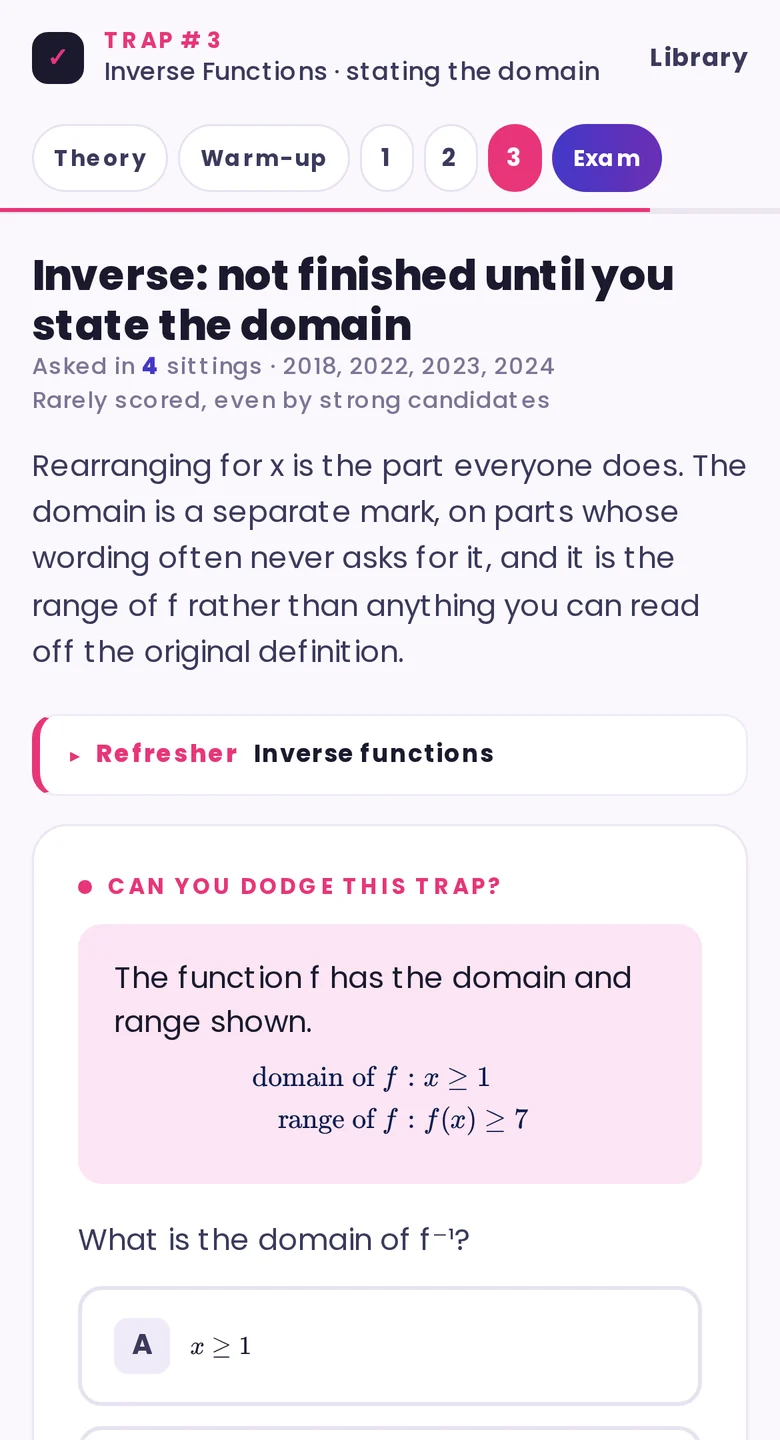
Examiner note — Inverse Functions
The domain is a separate mark on parts whose wording never asks for it. Reports across four sittings say candidates rearrange, write the inverse and stop. One calls it a point made in many previous reports.
From the examiner note in P10, Functions. Edexcel 9MA0/02 Q1 (June 2018) · 9MA0/01 Q7 (June 2023) · 9MA0/01 Q8 (June 2024) — examiner reports and mark schemes, summarised.
Where the traps come from
Built from what the examiners said went wrong.
Every trap begins with an examiner report. When a report says that a large majority lost a mark, or that very few candidates stated the domain, that mistake goes back to the question paper and the mark scheme so we can see precisely where the mark was dropped. Only when all three sources agree does it become a trap, and there are 139 of them across 39 modules of Pure, Statistics and Mechanics, drawn from every 9MA0 and 8MA0 paper between June 2018 and June 2025.
Each module opens with theory cards and a three-minute warm-up, works through its traps one at a time, and finishes with Exam Ready, a set of full exam-style questions marked by a scheme that teaches as it marks.
For teachers
A class dashboard that says which trap to teach next.
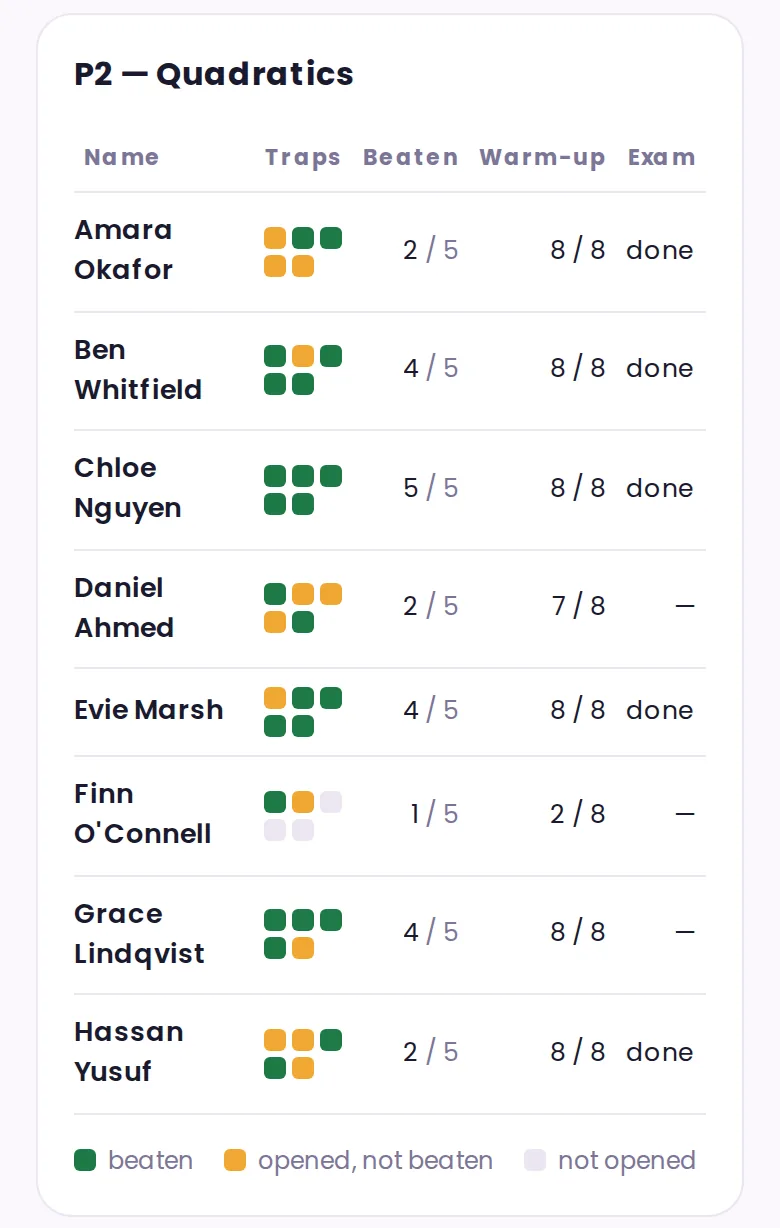
Teachers can see how far each student has gone: which modules they have opened and finished, how many traps they have beaten, how they scored on the warm-ups, whether they have done Exam Ready, and when they last logged in. Anything in the course can be put on the board for a whole class or set as independent study.
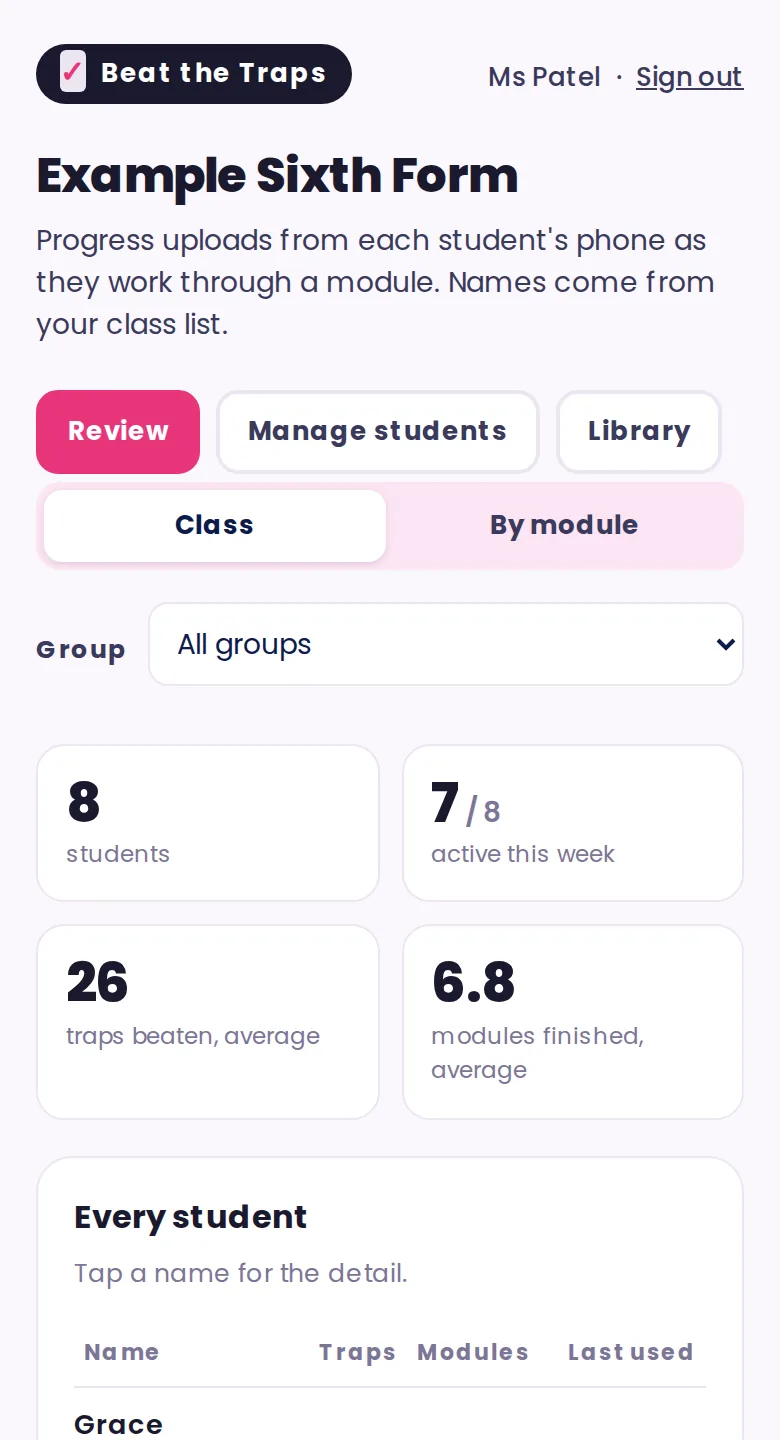
Tapping a student opens their own summary, with a bar for every module they have touched.
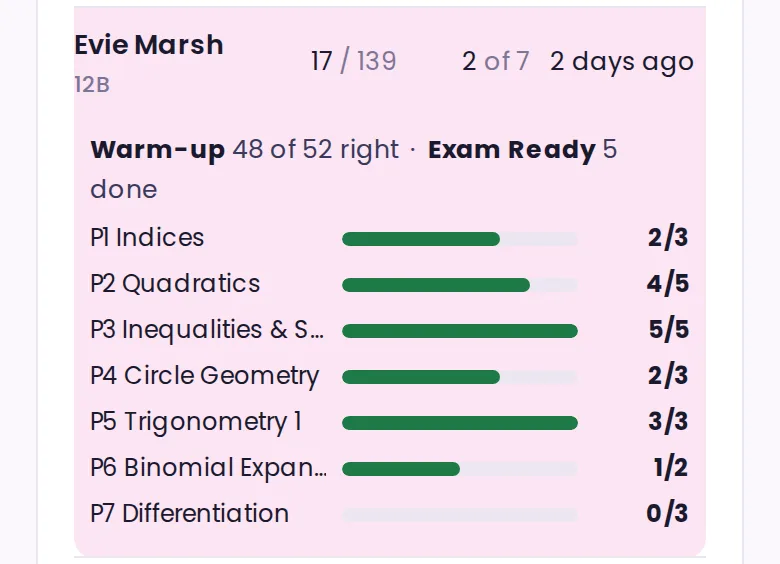
Looking at a single module shows every student’s traps as coloured squares, so the columns that are not yet green tell you what to teach next.
See how it all works, step by step, in the teacher guide.
What a licence includes
Your licence covers student seats up to the band you choose. Each seat belongs to one named student, and when someone leaves you archive them so the seat passes to another.
Teacher accounts are unlimited and cost nothing extra, so anyone in the department can use it.
The licence runs for a year from the day you order and does not renew itself. We remind your named contact about a month before it ends.
Your teachers set the accounts up themselves. Paste in a class list and the system generates a username and a starting password for each student, ready to print. We never ask for a student’s email address and never hold one.
If your numbers move up a band partway through the year, we invoice the difference rather than the full higher band, and nobody already using it is locked out.
Price
Every price below is for one year and there is no VAT to add, as we are not VAT-registered.
Larger schools and multi-school trusts are quoted individually, so please ask.
How to order
Prefer email? Send the same details to hello@sakatismaths.co.uk.
Who makes it
A maths teacher who is still in the classroom.
Beat the Traps is written and maintained by Leonie Sakatis.
I have taught A level Maths since 2009 and have been Head of A level Maths at three schools. I have an arguably unique hobby of reading examiner reports in my spare time, which is where every trap in this course came from.